Sound over HDMI for nVidia ION with Fedora
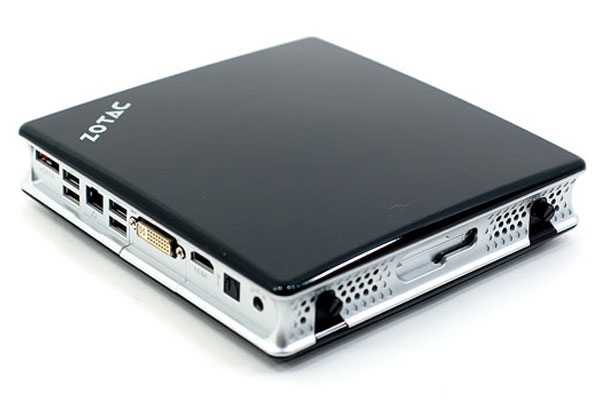
I just battled for a few hours with a Zotac Zbox ID41, which is a nice MiniPC based on the Intel D525 dual core Atom CPU and the nVidia ION2 chipset. This particular one is used in a meeting room and runs Fedora 16 x86_64. Everything works fine with no special configuration, except sound over HDMI. And sound over HDMI is something I needed since the computer is connected to a flat screen TV using HDMI.
Here’s the trick : You need to be using the proprietary nVidia Xorg driver for sound to work through HDMI.
After double checking all S/PDIF channels in alsa were unmuted, trying countless options to the snd-hda-intel module and fiddling with alsa and pulseaudio configurations, it always resulted in complete silence. No errors, just no sound. Then I came across an nvnews post which clearly states “The NVIDIA binary driver is required to pass some of the monitor information to the audio driver”.
So when running Fedora 16 and using the default nouveau free Xorg driver, you apparently just can’t get sound working through the HDMI connector. This is something that many other forum and blog posts don’t mention, since many distributions default to using the nVidia proprietary Xorg driver.
For Fedora, you can very easily install the nVidia proprietary Xorg driver using packages from RPM Fusion‘s yum repository.
Note that depending on your nVidia card, things might still not work if the wrong sub-device is used by default. You can see the available devices using aplay -l, in my case the nVidia was card 1 with devices 3, 7, 8 and 9, and I needed to use the 7 while the default was 3. So I added the following line to /etc/pulse/default.pa, ran pulseaudio --kill then selected the new Digital device from the GNOME sound settings :
load-module module-alsa-sink device=hw:1,7
How did you install the drivers? I have that same box & am trying to install akmod-nvidia from RPMFusion, the install seems to work fine, but the driver does not seem to be working. Thanks
Thanks for that – it’s a solution that we used in 2010~2012 on several similar ION/ION2 mini PCs.
Unfortunately NVidia have borked the more recent drivers by removing the overscan control slider in the config GUI. Since the TVs we and our friends have are almost all fixed overscan even via HDMI, we are now struggling with this problem again.
I’m trawling the web for solutions….